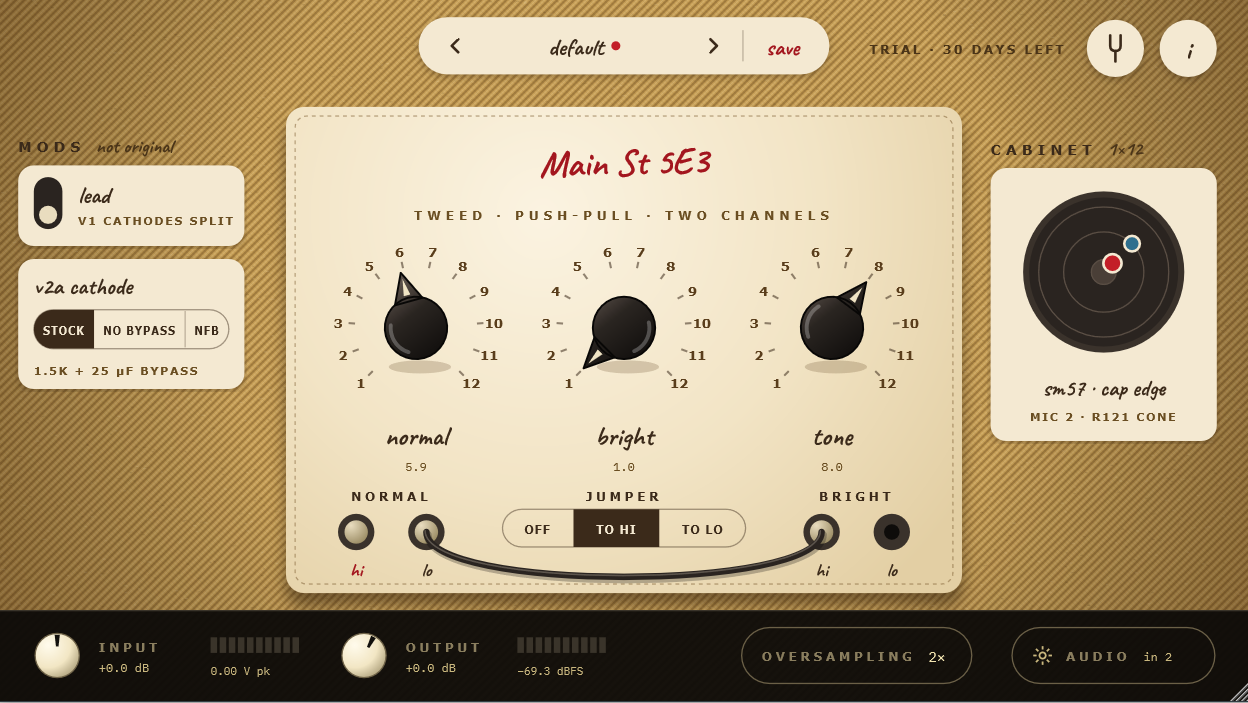
Main St 5E3
Tweed 5E3 · Push-Pull 6V6 · Two ChannelsThe original 5E3 tweed circuit, rebuilt tube by tube: two 12AY7 channels, a 12AX7, a pair of 6V6 power tubes and a 5Y3 rectifier, all working together as in the real amp. That's why it cleans up when you roll back your guitar's volume, sags and compresses when you dig in, and breaks into the famous tweed roar when you crank it.
- The whole circuit, tube by tube, solved in real time, not sampled
- Two 12AY7 channels sharing one cathode: the volumes interact, like the real amp
- Push-pull pair of 6V6: big headroom and low end, a loose roar when cranked
- 5Y3 tube rectifier: the sag and bloom you feel under your pick
- Cleans up with your guitar's volume knob
- The classic jumper-cable trick to blend both channels
- 12" alnico speaker that reacts with the power tubes, four classic mics
- Optional mods for tighter lows and more headroom
- Presets and a built-in tuner
- 30-day full trial, then $9 one-time
This manual describes the use, the design and the technical specifications of the Main St 5E3 amplifier.
Welcome
Main St 5E3 is a component-level physical circuit simulation of the 1950s tweed 5E3, not a static capture or an impulse convolution snapshot.
Every stage of the circuit interacts and solves in real time using Wave Digital Filters (WDF):
- Two channels, Normal and Bright, built around the two halves of a 12AY7 that share one cathode resistor — which is why the two volume controls interact, the trait the 5E3 is famous for.
- A 12AX7 gain stage followed by a cathodyne phase inverter, solved together with the grids of the power tubes, so that blocking and the way the amp "sags into" overdrive happen as in the circuit.
- A push-pull pair of 6V6GT sharing a cathode resistor, driving a modelled output transformer.
- A 5Y3GT tube rectifier power supply, whose voltage drop and sag compress and bloom with your picking.
- A Jensen P12Q 12" alnico speaker modelled as a reactive electrical load (with its semi-inductive voice coil) interacting with the power tubes.
- Our own cabinet impulse responses of that speaker in a tweed 1×12 cabinet, with four microphones at four positions.
The result is an amplifier that cleans up with your guitar's volume knob, breaks up when you dig in, and turns into the famous tweed roar when it's cranked.
30-day full trial, then $9 one-time. Everything is available during the trial, with no noise, no time-outs and no missing features. After 30 days the amp goes silent until you activate a license. No subscription, and no internet needed after activation.
System Requirements
| Windows | 10 or later, 64-bit. Nothing else to install: the plugin has no external library dependencies. |
| macOS | 10.13 High Sierra or later. Universal binary: runs natively on both Intel and Apple Silicon Macs. |
| Linux | x86_64, with glibc 2.35 or later (Ubuntu 22.04 and equivalents onward). |
| Formats | VST3 on all three systems; Audio Unit (AU) on macOS for Logic Pro and GarageBand. A standalone application is also included, which needs no DAW at all. |
| CPU | Any machine capable of running a modern DAW. The model solves a push-pull amplifier sample by sample, so it asks more of the CPU than the 5F1; at the default oversampling (2×) it still leaves plenty of headroom for the rest of your session. |
Installation
Installation is straightforward and requires no complex installers. Simply copy the files to the appropriate directory for your operating system:
| Operating System | VST3 Format | AU (Audio Unit) Format | Standalone Application |
|---|---|---|---|
| Windows | C:\Program Files\Common Files\VST3\ | — | Any folder of your choice |
| macOS | ~/Library/Audio/Plug-Ins/VST3/ | ~/Library/Audio/Plug-Ins/Components/ | /Applications/ |
| Linux | ~/.vst3/ | — | Any folder of your choice |
Note for macOS users:
The plugin is distributed without an Apple commercial developer certificate, so macOS Gatekeeper may display a security notice when launching it for the first time. The plugin is safe; the includedINSTALL.txthas three Terminal lines, ready to copy and paste, that authorize it in seconds.
Once copied, run a plugin rescan in your DAW. You will find it listed as Main St 5E3, available as VST3 and —on macOS— also as Audio Unit (AU), compatible with Logic Pro and GarageBand.
Trial and License
- 30 days, complete. The days left are shown at the top of the window (TRIAL · 23 DAYS LEFT). It turns red during the last five days.
- Buy whenever you want. A license is $9, one-time. You can activate it at any moment during the trial: click the TRIAL label at the top (or the
ibutton → LICENSE → OPEN), paste the key you received by email and click activate. - Internet once. Activation checks your key with the store once. After that the plugin works offline for good.
- When the trial ends, the amp is muted and the license panel opens by itself, with the key field and the BUY A LICENSE · $9 button.
- macOS: GarageBand and Logic Pro (on Apple Silicon) run plugins in a sandbox, and each of those apps keeps its own trial and license. Paste your key once in each of them.
- Can't activate? If your computer, a firewall or a host can't reach the internet, write to us with your key and we'll send you an unlock code (it starts with
MSAL1-) that activates without a connection. It goes in the same field.
Getting Started
Standalone Application:
On first launch, the audio configuration window opens automatically. Select your audio interface and, crucially, the input channel where your guitar is plugged in. You can reopen it at any time with the AUDIO button in the bottom bar.In your DAW:
Insert the plugin on your guitar audio track. The amplifier circuit is mono, so the plugin takes a single mono input: insert it on a mono audio track. The output is mono or stereo (the cabinet can pan its two microphones), so most DAWs will also let you instantiate it as a Mono→Stereo effect.
Before you begin playing, we strongly recommend setting the input level following the guide below. It takes a few seconds and makes the amplifier respond the way it should.
Setting the Input Level
In a physical tube circuit, the response is not determined by digital decibels, but by the actual voltage the guitar puts into the input jack. That voltage decides how hard the first 12AY7 is pushed, when the amp starts to break up and how much the power stage compresses. Your audio interface changes that level (its gain knob, its model), so the first thing to do is to set INPUT so the amp receives what a guitar would send it.
Under the INPUT meter, in the bottom bar, the plugin shows the peak voltage reaching the amp (after INPUT), held for about 1.5 seconds.
- Set the gain of your interface as you normally would (no clipping, its own meter well below the top).
- Strum hard with your usual pickup.
- Turn INPUT until the reading under the input meter shows about the "hard strum" value for your pickup type:
| Pickup type | Normal playing | Hard strum |
|---|---|---|
| Vintage single coil (Strat, Tele) | 0.05 – 0.10 V | 0.3 – 0.5 V |
| Hot single coil, P-90 | 0.10 – 0.20 V | 0.5 – 0.8 V |
| Humbucker (PAF style) | 0.10 – 0.25 V | 0.6 – 1.0 V |
| Hot humbucker | 0.20 – 0.40 V | 1.0 – 1.5 V |
| Active pickups | 0.30 – 0.60 V | 1.5 – 2.5 V |
These are approximate starting points; pickups vary a lot. Use your ears from there: less INPUT behaves like a weaker pickup (cleaner, more headroom), more INPUT like a hotter one.
This is exactly what the Input control is for. It is not a tone control: it matches the level your gear delivers to the level the circuit expects. Redo it whenever the signal path changes — a different interface, a different physical input, a different gain setting on your hardware, or moving between the standalone and your DAW.
Reference: with a Focusrite Scarlett (3rd gen) at minimum gain in INST mode, the plugin reads the real voltage at the jack (0 dBFS = 4.62 V peak), so INPUT at 0 dB is already right for that interface.
Amplifier Controls
The amp face follows the original panel: two volumes, one tone, four jacks.
- Normal (1 to 12): Volume of the Normal channel — darker and rounder.
- Bright (1 to 12): Volume of the Bright channel, which also feeds the tone network through a small capacitor — more cut and sparkle.
- Tone (1 to 12): The single tone control, shared by both channels.
- The interaction: Both channels share the first tube's cathode and mix at the next stage, so the volume of the channel you are not using still changes the sound. With it all the way down, the other channel gets a little darker, exactly like the real amp. This is the 5E3's most famous trait, and it is in the circuit, not added on top.
- Input Jacks: Click the jack your guitar goes into.
- Hi: full sensitivity.
- Lo: −6 dB, through the original 68 kΩ divider: smoother, for hot pickups.
- JUMPER (OFF / TO HI / TO LO): The classic trick of running a short cable from the free jack of your channel into the other channel, so both channels sound at once, each with its own volume. TO LO sends a quarter of the signal (−12 dB) to the other channel, before its tube, for a subtler blend.
- MODS (not original, off by default):
- Lead: Splits the first tube's cathode so the Normal channel gets tighter bass and more mids.
- V2A cathode: stock (as the original), no bypass (about 6 dB less gain, firmer) or nfb (adds negative feedback from the speaker — less gain, tighter lows, more headroom).
The Cabinet
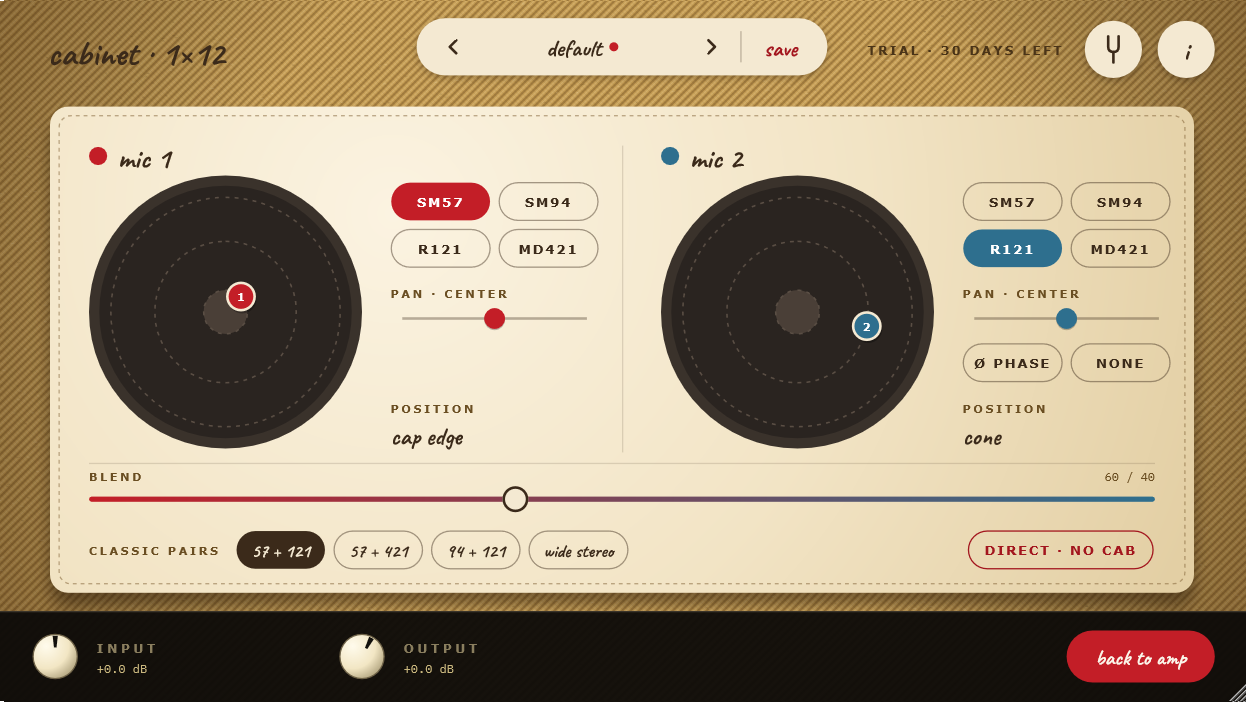
Click the small cabinet on the amp face to open the cabinet. The impulse responses are our own, of a Jensen P12Q 12" alnico speaker in a tweed 1×12 cabinet.
- One or two microphones: SM57, SM94, R121 and MD421 (the second one can be NONE).
- Placement on the speaker: Click (or drag) on the drawing of the speaker where you want each microphone — the centre of the cap, the edge of the cap, the cone, or the edge of the cone. Hovering lights up the ring with its name.
- BLEND between the two microphones, pan for each one (the output becomes stereo) and Ø phase on the second.
- Classic pairs in one click: 57 + 121, 57 + 421, 94 + 121 and a wide stereo pair.
- DIRECT · NO CAB: Bypasses the cabinet, to use your own impulse responses or speaker plugins.
Presets
The preset pill at the top steps through presets (previous / next) and shows a red dot when you have changed something.
- Factory: default (the plugin as it opens), clean normal, edge of breakup, jumpered crunch, cranked tweed and tight · nfb.
- Mine: save stores your own; the menu adds SAVE AS NEW, RENAME, DELETE, IMPORT and OPEN FOLDER.
- A preset stores the amplifier and the cabinet (volumes, tone, jack, mods, microphones), not Input, Output, oversampling or the tuner.
The Bottom Bar
- Input / Output: Digital gain trims (in dB) with their meters. Under them: the peak voltage reaching the amp (see Setting the Input Level) and the output level in dBFS.
- Oversampling (1×, 2×, 4×, 8×):
- 1× / 2×: For tracking and playing live: low CPU and low latency. 2× is the default.
- 4× / 8×: For mixing and rendering, with even cleaner harmonics. They proportionally increase CPU demand: on modest systems, keep them for export.
- AUDIO (Standalone): Opens the audio settings (interface, input channel, sample rate, buffer).
Built-In Tuner
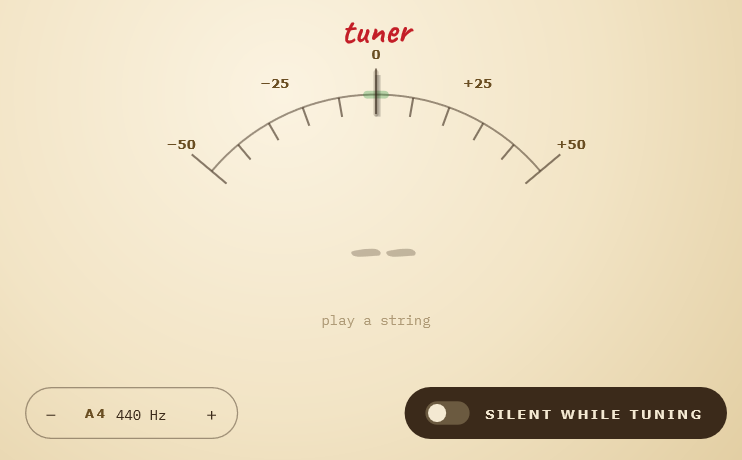
Click the tuning fork icon at the top right to reveal the tuner.
- Needle display (±50 cents) with the detected note; it turns green when you are in tune.
- Clean tap: The tuner listens to the guitar before the amplifier, so distortion never confuses it.
- Silent while tuning: Optional mute while you tune; the sound always comes back when you leave the tuner.
- Reference pitch (A4): From 430 Hz to 450 Hz (440 Hz by default).
- Zero idle overhead: The tuner only runs while its face is open.
Info and Settings
Click the i icon at the top right: how the amplifier is made, the version, and the settings — the presets folder, the default window size and your LICENSE (status and the button to open the license panel). The window can be resized freely, from 960×540 up to 4K, and keeps its size with your project.
Frequently Asked Questions
How is it different from the 5F1?
The 5F1 is a single-ended, one-tube, one-knob amp. The 5E3 is push-pull with two 6V6GT, a cathodyne phase inverter, two interacting channels and a 12" speaker: more headroom, more low end, and a completely different way of breaking up — from round and clean to a loose, compressed roar.
Can I activate the license before the trial ends?
Yes, at any moment. From then on the trial no longer counts.
Do I need internet to play?
Only once, to activate. After that, never. If you can't activate online, write to us and we'll send you an unlock code that works offline.
Why is the processing engine mono?
The original 5E3 circuit is mono. Stereo comes from the cabinet, if you pan its two microphones.
How can I optimize CPU usage?
Keep oversampling at 1× or 2× while tracking or playing live, and switch to 4× or 8× before exporting the final mix.
No audio is heard in the Standalone application.
Open AUDIO in the bottom bar and check that your interface and the right input channel are selected. If the trial has ended, the amp is muted until you activate a license.
Credits & Trademarks
- Tube models: Norman Koren (1996); grid current: Dempwolf and Zölzer (DAFx 2011).
- Wave Digital Filters (WDF):
chowdsp_wdflibrary by Jatin Chowdhury (BSD-3 License). - Mods: values from Rob Robinette's well-known 5E3 mod articles.
- Cabinet impulse responses made with Caja Sintética, our physical cabinet model.
- Special thanks: Horst Zankl.
- Unlock-code verification: Monocypher (BSD-2 / CC0).
- Developed with the JUCE framework.
- Typefaces: Caveat and IBM Plex Mono (SIL Open Font License 1.1).
All product names, trademarks, and registered trademarks mentioned (including Fender, Tweed Deluxe, 5E3, Jensen, Triad, Shure, Royer and Sennheiser) are property of their respective owners and are referenced solely for historical context and descriptive identification of the modeled analog equipment. Main St Audio Labs is an independent developer and has no affiliation, endorsement, or commercial sponsorship from these companies.
If you'd like to know when it's out, or to try it before release, copy our email and write to us:
Other plugins
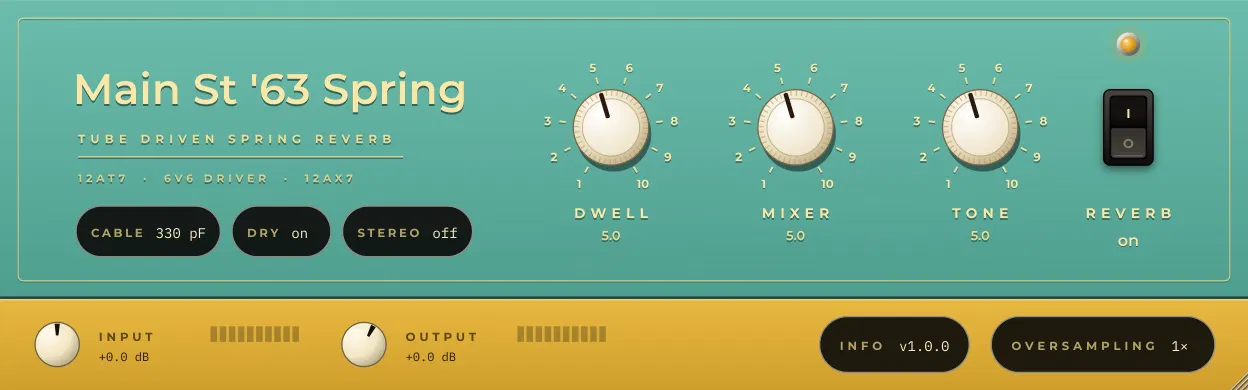
Main St '63 Spring
The original 1963 outboard spring reverb, rebuilt part by part: the tubes that drive the tank, the two springs and the recovery stage. That's where the drip and splash of surf and vintage records come from, and why it gets wetter and wilder as you turn up the Dwell and hit it harder. Use it before your amp like the original, or on a bus with the springs in stereo.
Main St 5F1
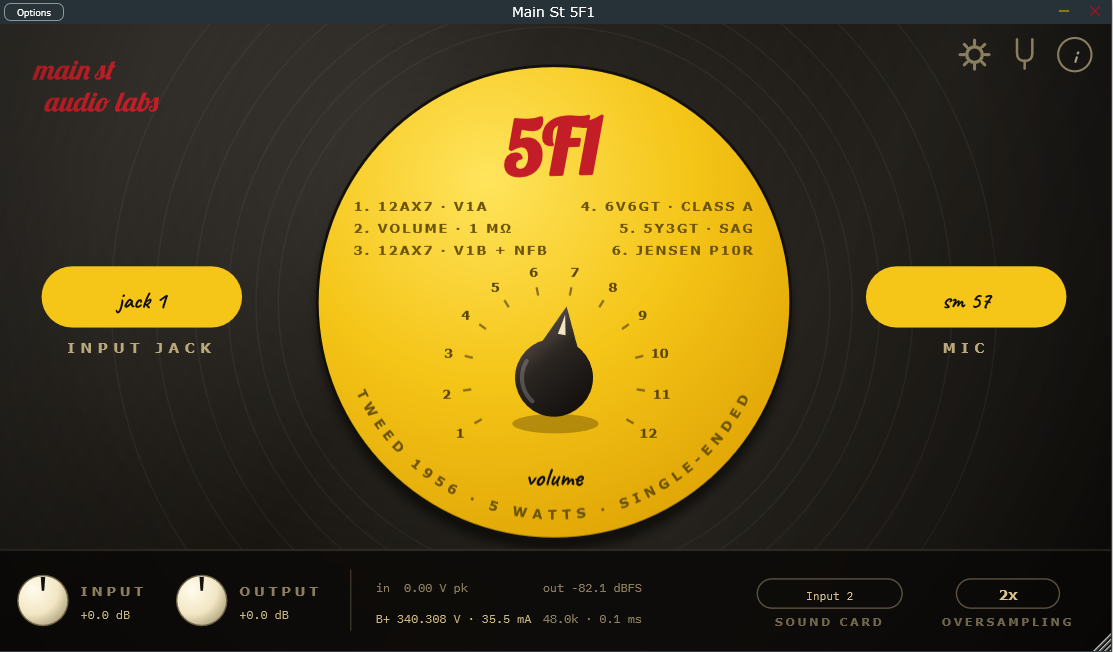
The original 1956 tweed Champ circuit, rebuilt tube by tube: a 12AX7, a single 6V6 and a 5Y3 rectifier, working together as in the real amp. That's why one knob covers it all (sweet cleans down low, warm crunch in the middle, singing overdrive at the top) and why it answers your picking like the real thing.
Midnight Rambler
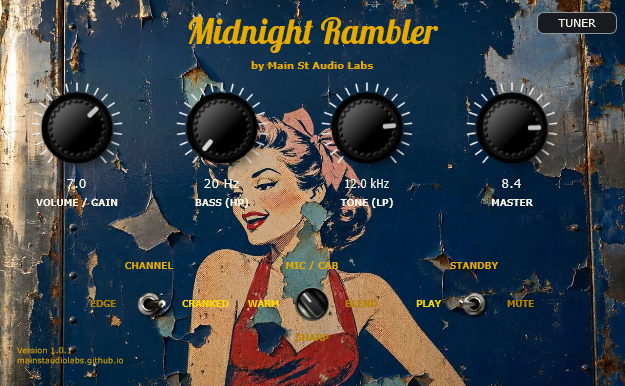
The raw, dynamic bite of the Fender Tweed 5E3 behind rock's landmark albums. Organic touch sensitivity, 3 phase-aligned studio mics, and retro tuner.
Vintage Tuner Stompbox
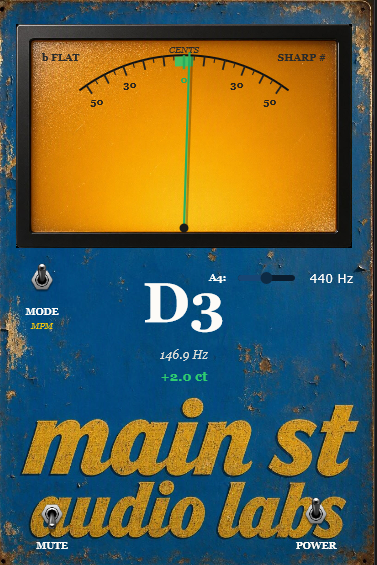
Vintage needle tuner powered by dual high-precision DSP engines (MPM & YIN). True 0.0% CPU when GUI is closed for inserting across all session tracks.