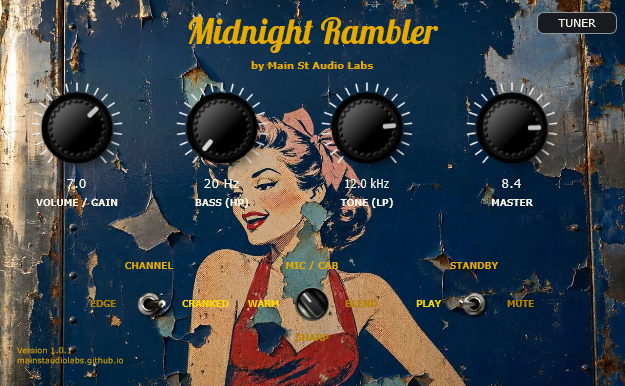
Midnight Rambler
5E3 Tweed Tube SimulationThe raw, dynamic bite of the Fender Tweed 5E3 behind rock's landmark albums. Organic touch sensitivity, 3 phase-aligned studio mics, and retro tuner.
- 5E3 Tweed tube simulation
- 3 phase-aligned mic takes
- Organic pick-dynamics response
- Built-in retro tuner
- Ultra-light on CPU
This manual provides a detailed description of the usage, design philosophy, and technical specifications for the Midnight Rambler amplifier emulation stompbox plugin.
What's new in 1.2.0
- Three channels instead of two. CLEAN, EDGE and CRANKED are the same amplifier with the instrument volume progressively further up — not three different amps. All three are level-matched against each other, measured with real signal, so the switch changes character rather than loudness.
- New amp captures, of a Tweed Deluxe, by Daniel Nguyen.
- New cabinet. A 1971 Fender Twin Reverb with its original Oxford 12T6-10 speakers, captured by Nathaniel Dahman from his own amp — a Royer R-121 and a Shure SM57 at the centre of the cap. The BLEND position is a 70/30 mix of the two, phase-aligned before summing, and lands exactly between the other two positions.
- Easier switching. Click the label of the position you want and it goes straight there — no more cycling through the middle. Dragging the lever and the mouse wheel work too.
- INFO panel with the version, the session's sample rate and buffer size, and the content credits.
- Lighter on CPU than 1.1.0, despite the extra channel: the impulse responses were trimmed to where their energy actually ends.
- Projects saved with 1.1.0 are migrated automatically — what you left on EDGE opens on EDGE.
- On macOS, the first time: right-click the plugin and choose Open. It isn't signed with Apple — this is free software and signing carries an annual fee that we'd rather not pass on to anyone.
1. The Tweed 5E3 Soul: A Studio Legend
The Fender Tweed Deluxe 5E3 (1950s) is widely regarded by producers and guitarists as the ultimate studio recording amplifier in rock history. Its simple 6V6 tube circuit delivers an unmistakable organic compression, warm harmonics, and touch-sensitive response that larger stadium amps cannot replicate.
From Keith Richards' classic Rolling Stones rhythm crunch (Sticky Fingers, Exile on Main St.) and Neil Young's roaring grit to Billy Gibbons' Texas blues bite and the legendary guitar tracks on Hotel California, the Tweed 5E3 shaped generations of iconic records.
Why Midnight Rambler Sets a New Standard
Unlike static impulse responses or generic digital modeling plugins that feel stiff and sterile, Midnight Rambler captures the living, breathing acoustic soul of a boutique-calibrated Tweed 5E3:
- True Neural Dynamics: Powered by cutting-edge Neural Amp Modeler (NAM) deep neural networks, responding seamlessly to your guitar's volume knob and picking dynamics.
- Intelligent Input Protection & Noise Suppression: Built-in adaptive Noise Gate (-58 dBFS) and pre-NAM -0.1 dBFS analog waveshaper limiter ensure pristine signal integrity with zero background hiss.
- Mix-Ready Studio Suite: Independent post-amp State-Variable TPT filters (Bass HP & Tone LP) combined with zero-latency 1971 Oxford 12" studio cabinet convolution (Royer R121 ribbon and Shure SM57).
- Integrated Precision Chromatic Tuner: High-accuracy pitch engine with illuminated retro VU meter and dual detection algorithms (YIN / MPM).
- Zero Latency & 100% Free: No accounts, no dongles, ultra-low CPU consumption. Plug in, turn up, and sound like a classic record immediately.
2. Quick Control Guide
The plugin features 4 intuitive main knobs, 3 rotary switches, and an integrated chromatic tuner:
🎛️ Main Knobs
- VOLUME / GAIN (
1.0to10.0): Controls the input drive feeding the tube engine. Lower settings provide sparkling clean headroom; higher settings deliver thick vintage saturation and singing sustain. - BASS (HP Filter ·
20 Hzto300 Hz): Tightens the low-end and eliminates unwanted sub-bass rumble, keeping rhythm tracks punchy. - TONE (LP Filter ·
1.0 kHzto20.0 kHz): Controls top-end presence and smooths out harsh frequencies for a warm, woody character. - MASTER (
1.0to10.0): Clean linear output level with up to+18 dBof clean boost headroom.
🔀 Selectors & Switches
- CHANNEL (Edge / Cranked):
- EDGE: Dynamic edge-of-breakup tone with ultra-sensitive pick response.
- CRANKED: Rich, saturated vintage overdrive with thick power-tube compression.
- MIC / CAB (3-Way Rotary Switch · 1971 Oxford 12" Studio Cabinet):
- WARM (9 o'clock): Royer R121 ribbon microphone for a smooth, body-rich vintage response.
- SHARP (6 o'clock): Shure SM57 dynamic microphone with bite and focused upper-mid punch.
- BLEND (3 o'clock): Curated 60/40 studio combination (SM57 + R121) for balanced depth and realism.
- STANDBY (Play / Mute): Instantly mutes audio output and drops CPU usage to 0%.
- TUNER BUTTON (Top Right): Opens the integrated professional Chromatic Tuner overlay.
- Dynamic Background: Drag and drop any image file (
.jpgor.png) directly onto the plugin window to change its skin on the fly.
📟 Precision Chromatic Strobe & VU Tuner
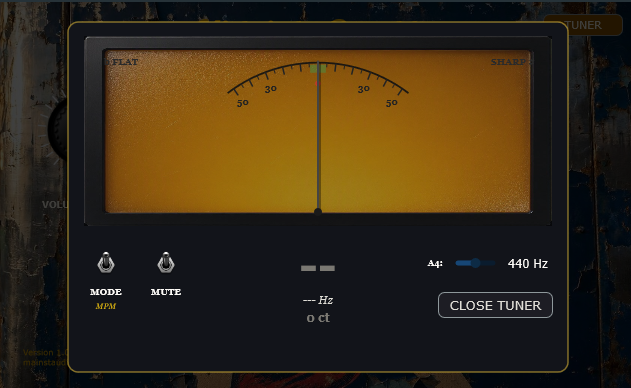
- Illuminated Vintage VU Meter: Features smooth ballistic needle response indicating pitch deviation from
-50to+50 cents. The center0mark illuminates in bright green when in tune. - Dual Pitch Detection Engine:
- MPM (McLeod Pitch Method): Superior harmonic rejection, ideal for rich guitar signals and fast note acquisition.
- YIN: Industry-standard autocorrelation algorithm for ultra-precise fundamental frequency tracking.
- Frequency & Note Readout: Displays detected note name (e.g.
E2,A2,D3,G3,B3,E4) and exact frequency in Hertz ($A4 = 440\text{ Hz}$ concert pitch). - Zero-CPU Sleep Architecture: When the tuner overlay is closed, its internal worker thread sleeps completely, guaranteeing 0% CPU overhead during playback.
3. Audio Configuration (Standalone)
When running the pedal as a standalone application, configure your audio settings as follows for optimal performance:
- Audio Device Type: Always select ASIO on Windows to avoid latency and digital distortion.
- Device: Select the native ASIO driver of your audio interface (e.g., Focusrite USB ASIO).
- Sample Rate: Set it to 48000 Hz (48 kHz).
- Buffer Size: Set the buffer size to 128 samples (2.3 ms) or 256 samples (5.3 ms).
💡 The Buffer Phenomenon: Why 256 samples (5.3 ms) might sound better than 128 samples (2.3 ms)
Many guitarists experience a sweeter, more fluid tone at 256 samples. This is due to two factors:
- Processor Stability: At 256 samples, the CPU processes audio chunks with more headroom, preventing micro-jitters that can introduce subtle treble harshness.
- Acoustic Duplication Effect: The tiny 5.3 ms delay, combined with the physical acoustic sound of your unplugged electric strings vibrating in the room, creates an organic doubling effect that adds tridimensional depth, thickness, and a natural room reverb feel to your playing.
4. System Requirements & Distribution
🖥️ System Requirements
- Operating Systems:
- Windows: Windows 10 or Windows 11 (64-bit).
- macOS: macOS 10.13 or newer (supports both Intel and Apple Silicon natively).
- Linux: Ubuntu 22.04 or compatible 64-bit distribution.
- Processor (CPU): Must support AVX2 instruction sets (Intel Core 4th Gen / AMD Ryzen or newer) on Windows and Linux to calculate the mathematical models in real-time. Apple Silicon processors are fully supported natively.
- RAM: 4 GB minimum.
- Audio Card (Standalone mode): Audio interface with low-latency drivers (native ASIO on Windows; CoreAudio on macOS; JACK or ALSA on Linux).
📦 Distribution (All-in-One)
Midnight Rambler is 100% self-contained. It does not require loading external models, XML configs, or IR wav files separately:
- All neural amplifier models and cabinet profiles are embedded internally as binary resources inside the plugin binary.
- Windows: Simply copy the
.vst3file to your plugin folder (typicallyC:\Program Files\Common Files\VST3\) or run the.exestandalone app. - macOS: Copy the
.vst3or.component(AU) to your plugin folder (typically/Library/Audio/Plug-Ins/VST3/or/Library/Audio/Plug-Ins/Components/) or run the.appstandalone app. - Linux: Copy the
.vst3file to your plugin folder (typically~/.vst3/or/usr/lib/vst3/) or run the standalone binary. - Direct Download: Get the latest multi-platform bundle from our GitHub Releases.
5. Troubleshooting
❌ The VST3 does not appear in the DAW or fails to scan
- Missing C++ Redistributable (Windows): Although the plugin is statically compiled, some Windows installations might miss basic runtime components. Download and install the official Microsoft Visual C++ Redistributable 2015-2022 (x64).
- CPU Compatibility (AVX2): Ensure your processor supports AVX2 instructions (typically Intel Core 4th Gen / AMD Ryzen or newer). The underlying NAM neural engine requires AVX2 to compute neural networks in real-time on Windows and Linux. If your CPU lacks AVX2, the plugin will not load.
- Scan Path: Verify that your DAW is scanning the folder where you placed the
.vst3file (e.g.C:\Program Files\Common Files\VST3\on Windows).
❌ Standalone App shows "Unidentified Developer" warning (macOS)
- Explanation: Because the plugin binaries are built via automated CI and not notarized with a paid Apple Developer Account, macOS may prevent them from launching.
- Solution: Go to System Settings > Privacy & Security, scroll down to the Security section, and click Open Anyway next to the warning for Midnight Rambler. Alternatively, open Terminal and run:
xattr -cr /path/to/MidnightRambler.app
❌ Crackling, pops, or high latency in Standalone mode
- Audio Drivers: Ensure you are using the native low-latency driver for your audio interface (ASIO on Windows, CoreAudio on macOS, JACK or ALSA on Linux).
- Buffer Size: A buffer size of 128 or 256 samples is recommended. Going lower than 64 samples might cause CPU spikes and audio crackle depending on your computer's performance.
6. License & Terms of Use
Midnight Rambler is distributed as Freeware (Closed-Source) under the Main St Audio Labs End User License Agreement (EULA):
- Free Use: You are 100% free to use this plugin in any personal, educational, or commercial music production, mix, score, or live performance without paying any royalties or fees.
- Closed-Source Protection: Reverse engineering, decompiling, reselling, or charging for binary downloads is strictly prohibited. All rights and intellectual property belong exclusively to Main St Audio Labs.
- Disclaimer: The software is provided "AS IS", without warranty of any kind. Third-party brand names (Fender, Tweed Deluxe, 5E3, etc.) are used solely for descriptive and historical identification of tone.
We Want to Hear Your Mixes!
Midnight Rambler's dynamic behavior was calibrated directly from classic record listening tests. If you've recorded a song or mixed a track using this stompbox, we want to hear it!
Copy our contact email to share your links or feedback:
Other plugins
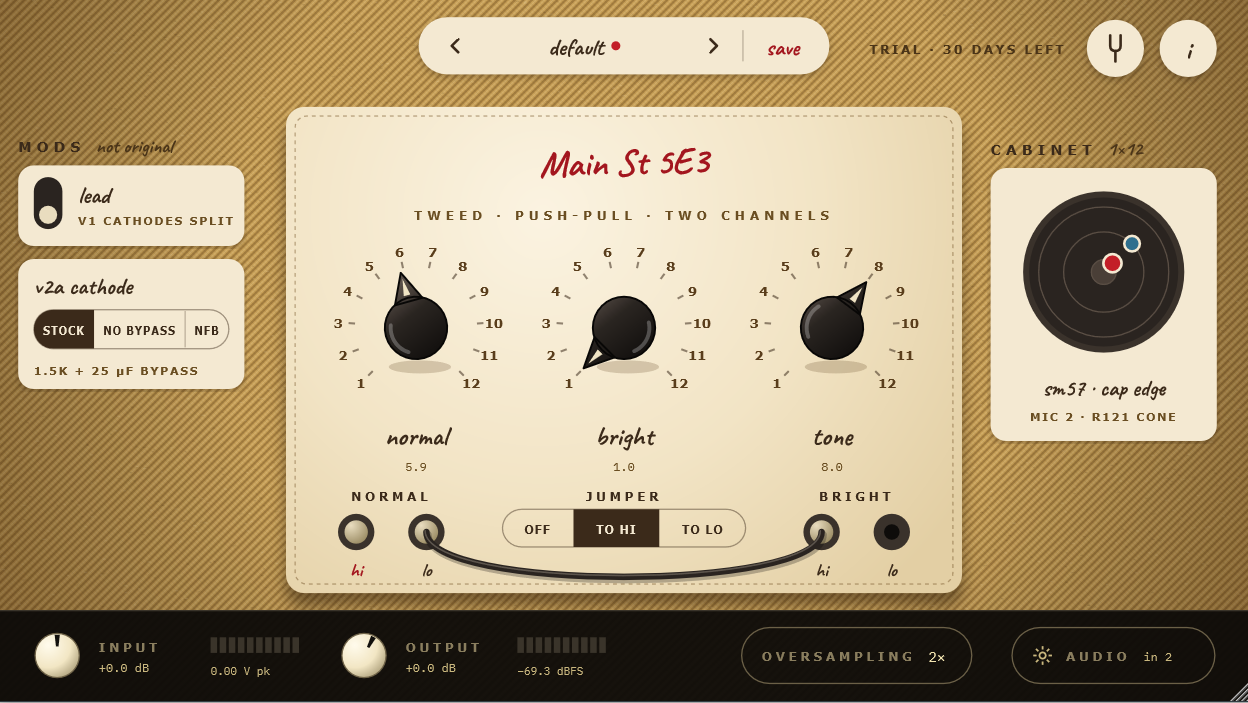
Main St 5E3
The original 5E3 tweed circuit, rebuilt tube by tube: two 12AY7 channels, a 12AX7, a pair of 6V6 power tubes and a 5Y3 rectifier, all working together as in the real amp. That's why it cleans up when you roll back your guitar's volume, sags and compresses when you dig in, and breaks into the famous tweed roar when you crank it.
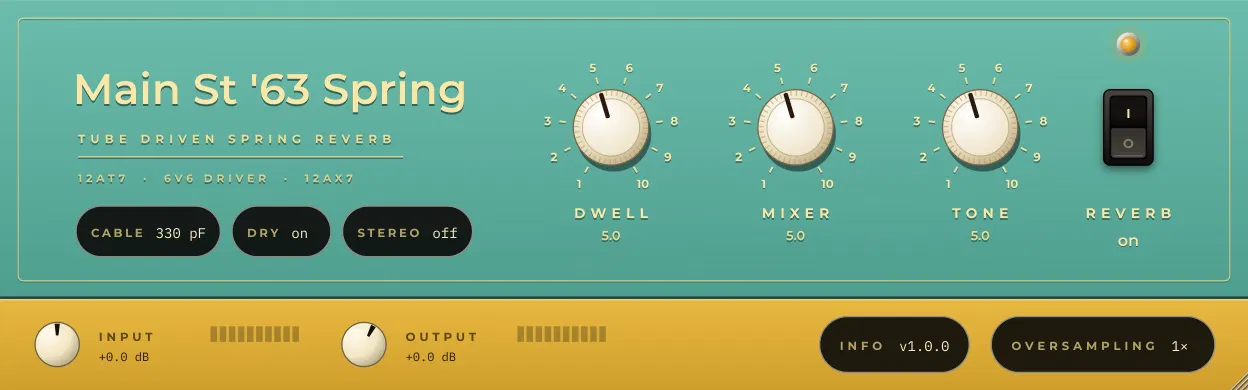
Main St '63 Spring
The original 1963 outboard spring reverb, rebuilt part by part: the tubes that drive the tank, the two springs and the recovery stage. That's where the drip and splash of surf and vintage records come from, and why it gets wetter and wilder as you turn up the Dwell and hit it harder. Use it before your amp like the original, or on a bus with the springs in stereo.
Main St 5F1
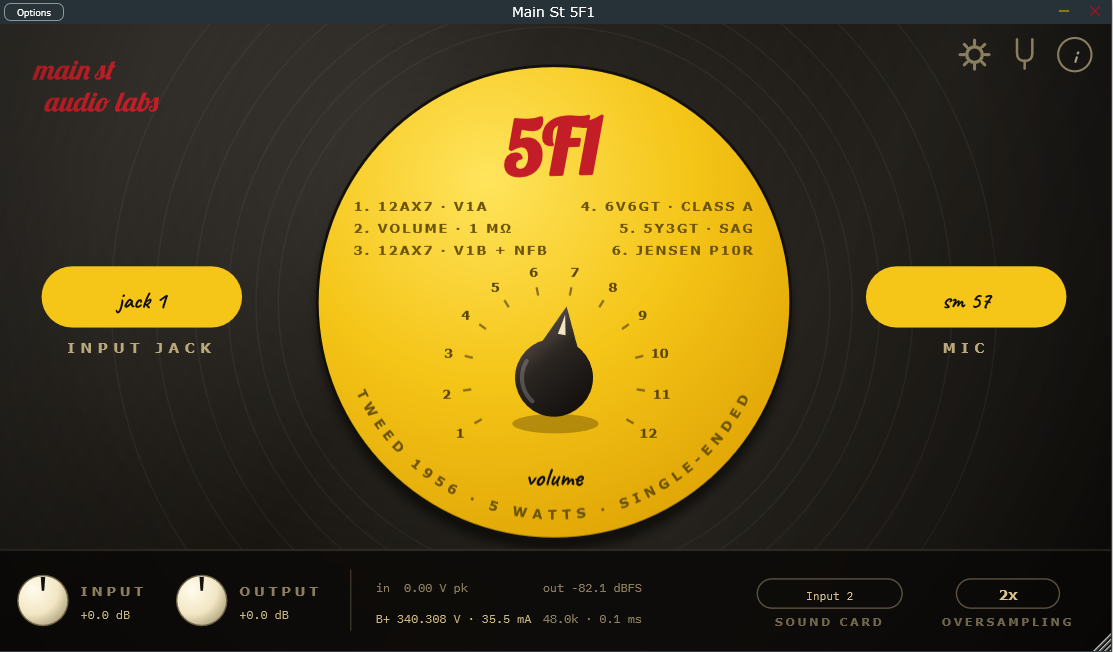
The original 1956 tweed Champ circuit, rebuilt tube by tube: a 12AX7, a single 6V6 and a 5Y3 rectifier, working together as in the real amp. That's why one knob covers it all (sweet cleans down low, warm crunch in the middle, singing overdrive at the top) and why it answers your picking like the real thing.
Vintage Tuner Stompbox
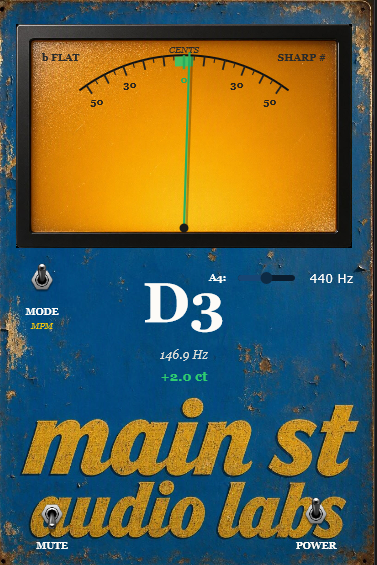
Vintage needle tuner powered by dual high-precision DSP engines (MPM & YIN). True 0.0% CPU when GUI is closed for inserting across all session tracks.