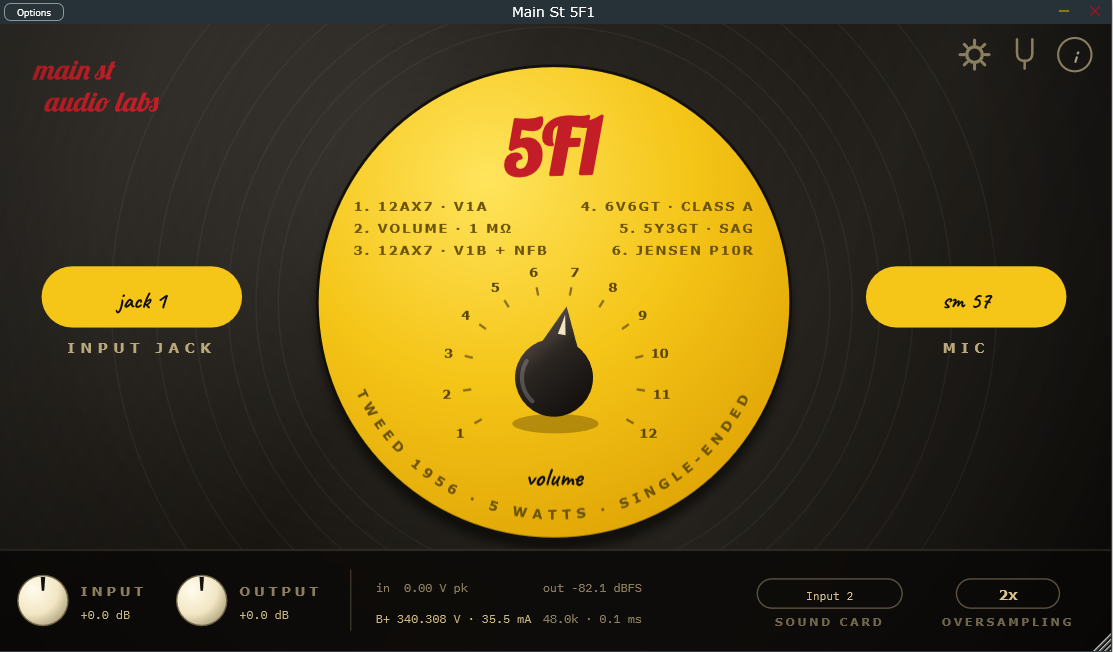
Main St 5F1
Tweed 1956 · 5 Watts · Single-EndedComponent-level physical modelling of the 1956 tweed Champ: wave digital filters solve the real circuit sample by sample, so the 12AX7, the 6V6 and the 5Y3 rectifier's sag react to your picking the way the valves do. One knob, two inputs, and a Jensen P10R cabinet.
- Wave digital filters: the circuit solved sample by sample
- 12AX7 preamp and single-ended class-A 6V6
- 5Y3GT rectifier with real supply sag
- Jensen P10R modelled as a reactive load
- Two inputs: Jack 1 and Jack 2 (−6 dB, 136 kΩ)
- SM57 and SM94 cabinet takes, plus Direct
- Built-in tuner with adjustable A4
- Lighter on CPU than a commercial amp sim
This manual describes the use, the design and the technical specifications of the Main St 5F1 amplifier.
Welcome
Main St 5F1 is a component-level physical circuit simulation, not a static capture or an impulse convolution snapshot.
Every stage of the circuit interacts and solves in real time using Wave Digital Filters (WDF):
- A 12AX7 preamp tube, accurately modeled after its authentic plate transfer characteristics and grid conduction.
- A single-ended pure Class A 6V6GT power stage, coupled to a modeled output transformer.
- A 5Y3GT tube rectifier power supply, whose voltage drop and sag dynamically compress and bloom in response to your picking intensity.
- A Jensen P10R speaker modeled as a reactive electrical load interacting directly with the power tube.
- High-resolution cabinet impulse responses developed from physical acoustic models of the speaker, open-back cabinet, and microphone placement.
The result is a responsive, living amplifier that breathes under your fingers just like the original vintage hardware.
Fully functional and completely free. All features are available without time limits or functional restrictions. An optional license key is available to support development and remove the brief initial welcome screen.
System Requirements
| Windows | 10 or later, 64-bit. Nothing else to install: the plugin has no external library dependencies. |
| macOS | 10.13 High Sierra or later. Universal binary: runs natively on both Intel and Apple Silicon Macs. |
| Linux | x86_64, with glibc 2.35 or later (Ubuntu 22.04 and equivalents onward). |
| Formats | VST3 on all three systems; Audio Unit (AU) on macOS for Logic Pro and GarageBand. A standalone application is also included, which needs no DAW at all. |
| CPU | Any machine capable of running a modern DAW. The model solves the circuit sample by sample, so the load depends on the oversampling setting: at the default (2×) it is light and leaves plenty of headroom for the rest of your session. |
Installation
Installation is straightforward and requires no complex installers. Simply copy the files to the appropriate directory for your operating system:
| Operating System | VST3 Format | AU (Audio Unit) Format | Standalone Application |
|---|---|---|---|
| Windows | C:\Program Files\Common Files\VST3\ | — | Any folder of your choice |
| macOS | ~/Library/Audio/Plug-Ins/VST3/ | ~/Library/Audio/Plug-Ins/Components/ | /Applications/ |
| Linux | ~/.vst3/ | — | Any folder of your choice |
Note for macOS users:
Because this is a free, independent project distributed without an Apple commercial developer certificate, macOS Gatekeeper may display a security notice when launching it for the first time. The plugin is completely safe; you will find a simple one-line Terminal command in the includedINSTALL.txtfile to authorize it in seconds.
Once copied, run a plugin rescan in your DAW. You will find it listed as Main St 5F1, available as VST3 and —on macOS— also as Audio Unit (AU), compatible with Logic Pro and GarageBand.
Getting Started
Standalone Application:
On first launch, the audio configuration window opens automatically. Select your audio interface and, crucially, the input channel where your guitar is plugged in. If no input is active, the bottom status bar will clearly notify you (you can click directly on the message or click the gear icon in the top-right corner to reopen settings).In your DAW:
Insert the plugin on your guitar audio track. Because the simulated hardware circuit is end-to-end mono, the plugin requires a single mono input: insert it on a mono audio track. The output supports both mono and stereo, so most DAWs will also allow you to instantiate it as a Mono→Stereo effect on stereo tracks.
Before you begin playing, we strongly recommend calibrating the input following the guide below. It takes only a few seconds and guarantees that the amplifier responds with optimal authentic tone.
Input Calibration: Finding the Sweet Spot for Your Guitar
In a physical tube circuit, dynamic response is not determined by digital decibels, but by the actual peak voltage entering the input jack.
This peak amplitude dictates how the first 12AX7 stage behaves: when it stays chimey and clean, exactly where it starts to break up under pick attack, and how hard the 6V6 power tube compresses. Calibrating the input level ensures the simulation interacts with your pickups just like the real amplifier.
The in readout on the bottom bar displays this exact peak voltage (V pk) arriving at the virtual input jack, holding the reading momentarily so you can easily observe it after a chord strum.
Calibration Steps:
- Select Jack 1 on the amplifier panel (this is the primary high-sensitivity input; Jack 2 pads the signal by −6 dB).
- Set the plugin's Input slider to
0.0 dBand strum a full, open chord on your guitar with the maximum force you normally use. - Verify that your physical audio interface is not clipping (the clip/peak LED on your hardware interface must remain green/off). Adjust the physical input gain on your interface first if clipping occurs.
- Now, adjust the plugin's Input slider until the peak value on the
inreadout falls within the recommended target range for your pickup type:
| Pickup Type | Suggested Peak on Hard Strum |
|---|---|
| Vintage Single-Coil (Stratocaster, Telecaster, '50s/'60s spec) | 0.4 – 1.0 V |
| Hot Single-Coil (Texas Special, SSL-5) | 0.8 – 1.8 V |
| Vintage Humbucker (PAF, '59) | 1.0 – 1.8 V |
| Hot / High-Output Humbucker (JB, Super Distortion) | 2.0 – 3.5 V |
| Active Pickups (EMG 81/85, Fishman Fluence) | 1.5 – 2.5 V |
Measured across a standard 1 MΩ load, matching the input impedance of the authentic amplifier.
This is exactly what the Input control is for. It is not a tone control: its only job is to match the level your gear delivers to the level the circuit expects. Redo the calibration whenever the signal path changes — a different interface, a different physical input, a different preamp gain setting on your hardware, or moving between the standalone and your DAW. The digital level reaching the plugin depends on that path, so a setting that is correct in one case will not necessarily be correct in the other.
Understanding the Transient Spike:
Electric guitars have an immense crest factor: the initial pick attack typically carries 14 to 20 dB more instantaneous energy than the sustained body of the note. It is completely natural for the voltage meter to jump on the attack and quickly settle down. The calibration intentionally references this initial attack peak, as it is the exact transient that pushes the first tube grid into conduction and produces the signature tube bite.
Tonal Response Across Input Levels:
- Calibrated too low: The amp remains polite and clean throughout the entire sweep of the Volume dial, missing the legendary 5F1 grit and compression.
- Calibrated too high: Saturation happens prematurely, squashing dynamic touch sensitivity and causing the Volume control to lose nuance above moderate settings.
- Calibrated to the recommended target: You achieve authentic dynamic range — sweet, warm cleans with gentle picking, transitioning seamlessly into rich, touch-sensitive breakup when you dig in or open up your guitar's volume pot.
The Bottom Control Bar
In addition to input calibration, the lower bar houses global utility controls and real-time circuit telemetry:
- Input / Output: Digital gain trims (in dB) for adjusting input calibration and overall output listening level without altering the internal vintage amp characteristics.
- Real-Time Telemetry:
in [V pk]: Instantaneous peak voltage entering the amplifier circuit.out [dBFS]: Digital output level feeding your DAW track or monitors.B+ [V]: High-voltage DC power supply feeding the 6V6 power tube plate.[mA]: Plate current flowing through the 6V6 tube.Sample Rate & Latency: Displays the active sample rate and processing delay.
Power Supply Dynamics (Rectifier Sag):
At idle,B+sits around 340 V. Strum a heavy chord and you will see the voltage momentarily dip and smoothly recover. This is authentic power supply sag caused by the internal resistance of the 5Y3GT vacuum rectifier. It provides the musical, spongy feel and natural compression beloved in vintage tweed circuits.
- Sound card (Standalone): Allows quick cycling between available input channels on your audio interface.
- Oversampling (1×, 2×, 4×, 8×):
Controls non-linear oversampling to eliminate digital aliasing:- 1× / 2×: Optimal for real-time tracking, live performance, and low-latency monitoring with very low CPU load.
- 4× / 8×: Recommended for final mixing and rendering/bouncing, delivering pristine harmonic clarity. Please keep in mind that higher oversampling proportionally increases CPU demand; on systems with modest specifications, it is best reserved for export (see Frequently Asked Questions below).
Amplifier Controls
Faithful to the minimalist 1950s design, the upper panel features only the original, essential controls:
- Volume (1 to 12): The legendary single control found on the original 5F1. From 1 to 4 it delivers warm, clear cleans with rich body; from 5 to 8 it introduces classic tweed blues crunch; and from 9 to 12 it unleashes singing, harmonic-laden power-tube saturation and natural sag.
- Input Jacks:
- Jack 1 (Normal): Full-sensitivity input with standard 1 MΩ input impedance and wideband response.
- Jack 2 (Low): Attenuates signal level by −6 dB and lowers pickup loading to 136 kΩ (via the original 68 kΩ + 68 kΩ resistor divider network). This dampens pickup resonance around 3.6 kHz, producing a darker, smoother, and mellower voicing ideal for high-output pickups.
- Microphones & Cabinet:
- SM57: The quintessential studio dynamic mic, tailored with a focused +3 dB presence lift at 4.5 kHz to help guitar tracks cut through dense mixes.
- SM94: A flatter, smoother, and more balanced condenser capture.
- Direct: Bypasses the internal cabinet simulation entirely, allowing you to use your own external impulse responses (IRs) or speaker loader plugins.
Both cabinet captures represent a vintage Jensen P10R speaker mounted in an open-back Princeton-style cabinet, calculated using comprehensive physical and acoustic models.
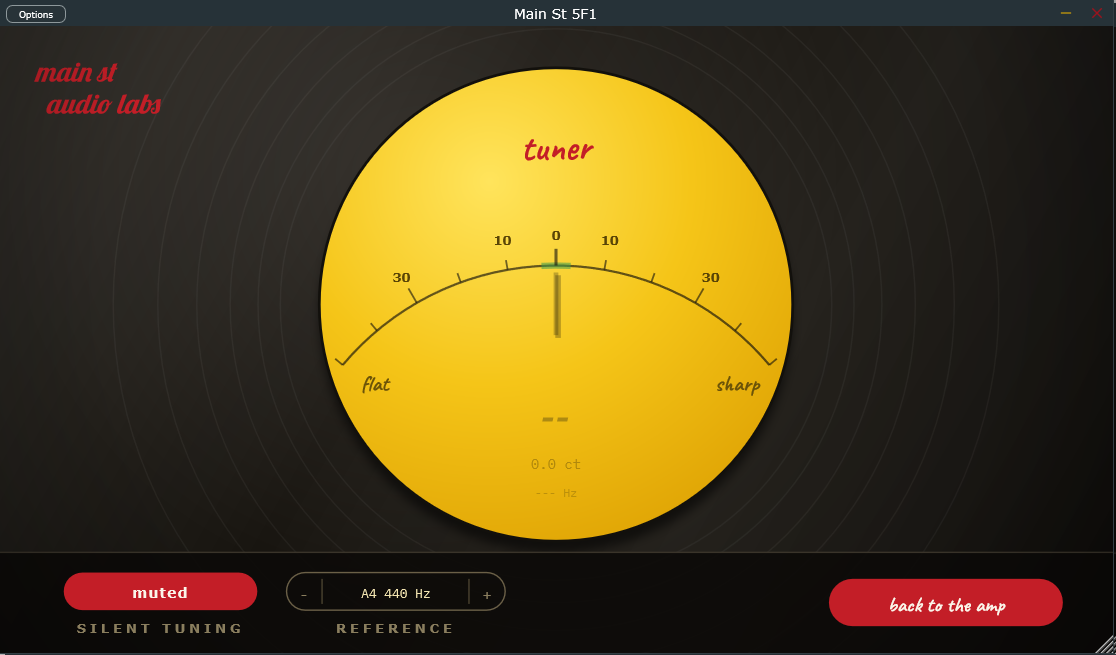
Built-In Tuner
Clicking the tuning fork icon in the upper-right corner flips the chassis to reveal the precision instrument tuner.
- Classic Needle Display: Clear central needle display showing detected note, cents offset, and frequency. The indicator turns bright green when tuning is accurate within ±3 cents.
- Pre-Amp Clean Tap: The tuner taps the guitar signal before it reaches the preamp and gain stages. As a result, harmonic distortion will never confuse or degrade pitch detection accuracy.
- Wide Detection Range (25 Hz to 1400 Hz): Fully responsive across standard and drop-tuned electric guitars as well as 5-string electric basses (down to low B).
- Silent Tuning: Mutes amplifier audio output while you tune. When returning to the main amplifier faceplate, audio automatically unmutes.
- Reference Pitch (A4): Adjustable concert pitch between 430 Hz and 450 Hz in 1 Hz increments (default is 440 Hz). Click − or + to step, hold to fast-advance, and double-click the center number to immediately reset to 440 Hz.
- Zero Idle Overhead: When the tuner face is hidden, the pitch detection engine enters a low-power dormant state, consuming virtually zero CPU cycles.
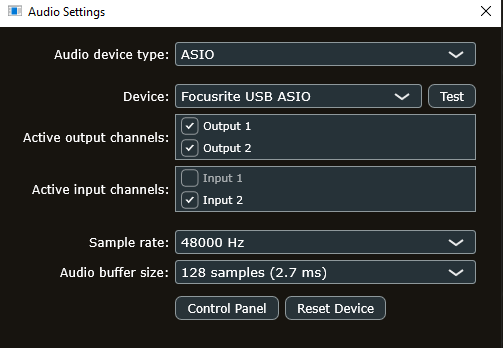
Settings & Licensing (The B-Side)
Clicking the i icon in the upper-right corner accesses version details, configuration, and licensing:
- License key: Opens the dialog to paste your product license key to dismiss the initial splash screen. Verification takes place locally once; settings are permanently saved to your computer and operate 100% offline without requiring an internet connection.
- Audio settings (Standalone): Reopens the hardware audio device manager to configure your audio driver, sample rate, buffer size, and channel routing.
Frequently Asked Questions
Why model a 10-inch speaker when the original Champ shipped with an 8-inch?
An 8-inch speaker in a miniature cabinet inherently exhibits restricted bass response and a pronounced nasal resonance. In professional recording studios, engineers and guitarists historically ran tweed Champ heads into 10-inch or 12-inch extension cabinets to achieve extended bottom-end warmth, dimension, and fullness. The Jensen P10R provides the ideal tonal balance, allowing the 6V6 reactive power load and acoustic impulse response to operate in complete physical harmony.
Why is the processing engine mono?
The original 5F1 circuit is intrinsically mono: a single preamplifier, one single-ended power tube, and one speaker. Preserving a true mono signal path ensures authentic phase coherence. If you desire a wide stereo spread, this is best achieved down the mixing chain using natural double-tracking, room reverbs, or stereo modulations.
How can I optimize CPU resource usage on my computer?
Component-level physical modeling solves non-linear differential equations sample-by-sample to capture genuine tube dynamics. To ensure effortless performance on any machine:
- For real-time tracking or playing live: Keep oversampling set to 1× or 2×. CPU utilization remains very low and latency is imperceptible.
- For mixing and offline bouncing: Switch to 4× or 8× prior to exporting your final track in your DAW, where real-time latency constraints are no longer an issue.
I entered my license key, but why does the welcome dialog still appear?
The registration dialog is designed to display once per initial application session. If it appears repeatedly on every launch after saving your key, please reach out via our contact email and we will gladly assist you.
No audio is heard in the Standalone application.
Check the bottom bar. If you see NO AUDIO INPUT highlighted in red, click on it to open the audio settings and confirm that your audio interface and the correct input channel are selected.
Credits & Trademarks
- Tube mathematical models: Norman Koren (1996); grid current formulation: Dempwolf and Zölzer (DAFx 2011).
- Wave Digital Filters (WDF):
chowdsp_wdflibrary by Jatin Chowdhury (BSD-3 License). - Developed with the JUCE framework.
- Typefaces: Lobster, Caveat, and IBM Plex Mono (SIL Open Font License 1.1).
All product names, trademarks, and registered trademarks mentioned (including Fender, Champ, Princeton, Jensen, Shure, SM57, and SM94) are property of their respective owners and are referenced solely for historical context and descriptive identification of the modeled analog equipment. Main St Audio Labs is an independent developer and has no affiliation, endorsement, or commercial sponsorship from these companies.
If you record something with this amplifier, we want to hear it. Copy our email to send us the link:
If you would like to support our independent research and help us keep our plugins free, you can do so with Card, PayPal or Cryptocurrency:
Other plugins
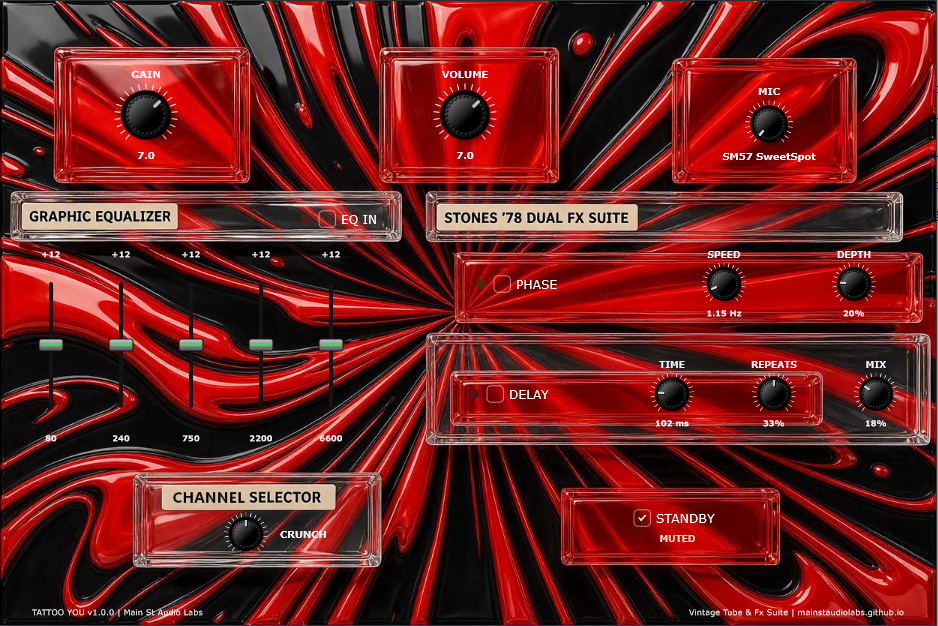
Tattoo You
'78 Mark I circuit with 12 neural models (100W/60W, Normal/Bright), 1x12 Hardwood Cab Lab with 24 takes, single-track Stereo Spread 3D, Phase '78, Delay, and rack tuner. Free and 100% functional under a pay-what-you-want model (REAPER-style): with no license, it just adds a 6-second wait when opening the plugin.
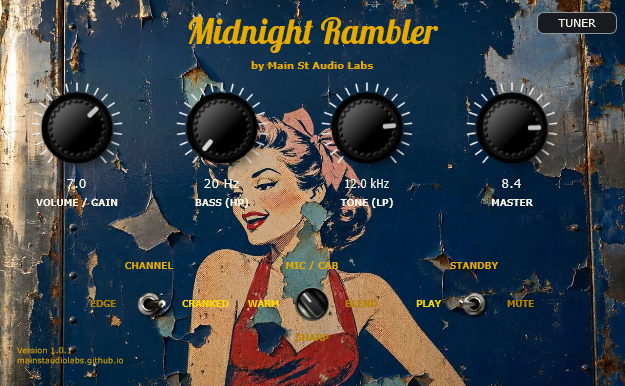
Midnight Rambler
The raw, dynamic bite of the Fender Tweed 5E3 behind rock's landmark albums. Organic touch sensitivity, 3 phase-aligned studio mics, and retro tuner.
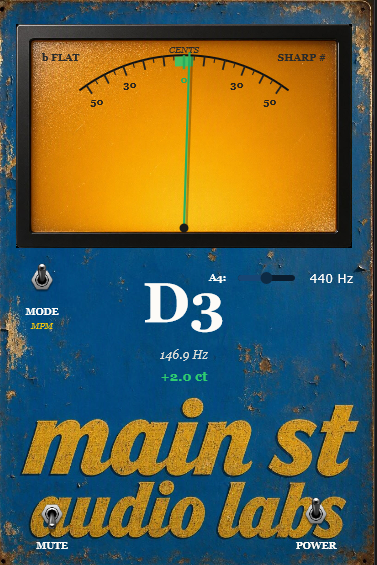
Vintage Tuner Stompbox
Vintage needle tuner powered by dual high-precision DSP engines (MPM & YIN). True 0.0% CPU when GUI is closed for inserting across all session tracks.